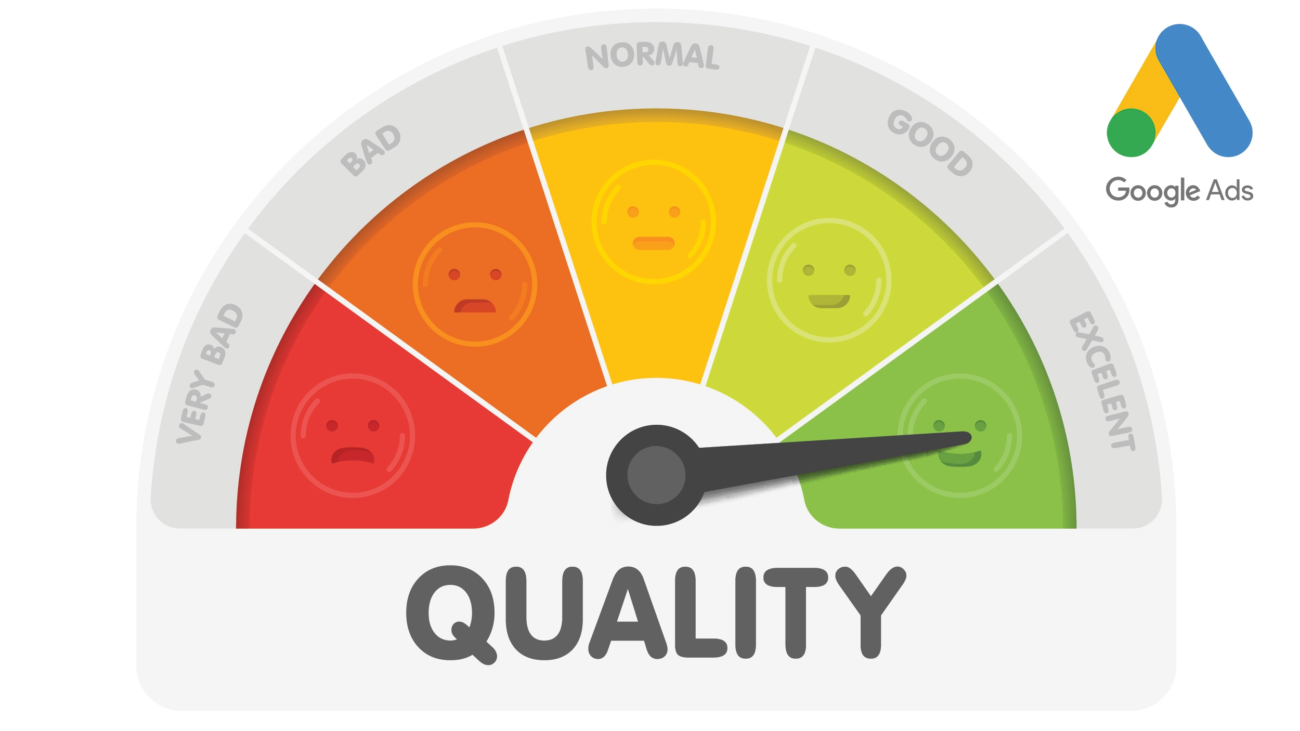
Google Ads Quality Score:

Google Ads Quality Score: How To Improve Your Ads With The Quality Score

The Quality Score is an important metric for the status of your ads. Learn more about the Google Ads Quality Score here.

Key Takeaway – The most important things in brief:

  • The Google Ads Quality Score is a key indicator of the quality and effectiveness of your ads, rated on a scale of 1 to 10 and taking the user experience into account.
  • The Quality Score is composed of three main components: the expected click-through rate (CTR)ad relevance, and the user experience with the landing page, with each aspect rated from “above average” to “below average.”
  • A high Quality Score improves ad positioning, increases cost efficiency, and increases the relevance of keywords and the ads themselves, leading to better campaign performance.
  • To improve Quality Score, you should use relevant keywords, optimize ads and landing pages, use ad extensions, and optimize your campaign structure, ultimately leading to a more efficient Google Ads campaign.

Anyone who creates ads through Google Ads should be familiar with the Quality Score. The Google Ads Quality Score provides information about the quality of your Google Ads. Google is trying to better support advertisers in optimizing their ads. Before we explain what these metrics mean, we’ll show you what the Quality Score actually is.

The Google Ads Quality Score

The Quality Score is a value that rates the overall user experience of your ads and landing page from 1 to 10. The higher the value, the better your ad is optimized. Your goal should therefore always be to achieve a value of 10. But what does the Quality Score actually mean? This value is an indicator of whether your ads and landing pages are useful to the user.
You should therefore always keep an eye on the Google Ads Quality Score so that your ads:

  • Be optimally positioned
  • Your click prices become cheaper
  • and the ads are ultimately displayed more often

How is the quality score calculated?

Three components are used to calculate the quality factor:

  • CTR (estimated click-through rate): This value tells you how likely it is that users will click on your ad when it is shown to them.
  • Ad relevance: Here you can see how well your ad matches the user’s search intent.
  • Landing page user experience: This metric shows you how relevant and helpful your landing page is for users who click on your ad.

Each of the three components is assigned a status: “Above Average,” “Average,” and “Below Average.” Google Ads is always a competitive environment. For this reason, the Quality Score assessment is based on a comparison with other advertisers whose ads were delivered for the same keyword in the last 90 days.

Where can you find the quality factor?

  1. Sign in to your Google Ads account.
  2. Now select the Keywords option in the menu on the left.
  3. Now you have to click on the column symbol in the table.
  4. Under “Customize Columns for Keywords,” you’ll find the Quality Score section. If you want to view the current Quality Score and the status of individual components, you can add a statistics table or several of the following columns:
    • Quality factor
    • User experience with the landing page
    • Expected CTR
    • Ad relevance
  5. It’s also possible to view previous quality factors for a reporting period. Simply select one or more of the following metrics:
    • Quality factor (history)
    • User experience with the landing page (history)
    • Ad relevance (history)
    • Expected CTR (history)
  6. Finally, click “Apply.”

(Source: google.com )

Why you should pay attention to your quality factor

Quality Score is an important aspect of your Google Ads campaign that you should check regularly. Here are some reasons why it’s important:

  • Ad Position: The Quality Score influences the positioning of your ads in search results. Higher quality leads to better positioning, which translates to greater visibility and click-through potential for your ads.
  • Cost efficiency: A high Quality Score allows you to achieve better positions at a lower cost. Google rewards relevant and high-quality ads with lower cost per click (CPC), leading to better campaign profitability.
  • Keyword Relevance: Quality Score considers the relevance of the keywords you use in your ads and on your landing pages. Checking Quality Score helps you ensure your keywords align with your ads and landing page, which can lead to a higher conversion rate.
  • Ad Relevance: Quality Score also evaluates the relevance of your ads themselves. Check Quality Score to ensure your ads are well-written, engaging, and relevant to your audience.
  • Account Optimization: Checking Quality Score allows you to identify weak points in your ads and keywords. By optimizing Quality Score, you can improve your ads and keywords for better results.

In summary, regularly checking the Quality Score in your Google Ads campaign will help improve the performance of your ads, increase visibility, reduce costs, and ultimately achieve better profitability.

7 tips to improve your Google Ads Quality Score

There are several steps you can take to improve your Google Ads Quality Score. Here are some tips to help you improve your ads’ Quality Score:

1. Use relevant keywords. Use relevant keywords in your ad groups that align well with users’ search intent. Make sure the keywords are closely linked to your ads and landing pages.

2. Optimize your ads: Write compelling ads with a clear connection to your keywords. Use the keywords in the ad title and ad copy to increase relevance. Also, make sure to include a clear call to action to increase click-through rates.

3. Landing Page Optimization: Ensure your ad landing pages offer relevant content and a good user experience. The landing pages should deliver on the ad promises and provide users with the information they’re looking for.

4. High usability: Optimize the loading times of your landing pages to ensure a fast and smooth user experience. A fast website not only improves your Quality Score but also your conversion rate.

5. Use ad extensions: Use ad extensions like sitelinks, call extensions, or location extensions to provide additional information and options for action. This increases the relevance of your ads and improves click-through rates.

6. Exclude keywords: Exclude keywords to exclude irrelevant search queries and display your ads only for relevant searches. This increases click-through rates and reduces costs.

7. Optimize your campaign structure: Carefully structure your campaigns and ad groups to group relevant ads and keywords. A well-organized campaign structure facilitates ad optimization and increases relevance.

By implementing these measures and continuously monitoring your Quality Score, you can improve the performance of your Google Ads campaign and save costs.

The Quality Score is not everything

Of course, you can optimize your ads outside of the Google Ads Quality Score, although you should always keep an eye on it. However, if you use the tips above to optimize your ads, you’ll be on the safe side.

With all these measures in mind, expert advice can’t hurt. If you need help optimizing your ads or setting up your Google Ads, we’re happy to help as a certified Google Ads agency based in Hanover.
ChatGPT

How ChatGPT Revolutionizes Your Content Marketing

ChatGPT aims to revolutionize content marketing of the future by using a chatbot to generate content quickly and effortlessly. In short: You specify the criteria for a text, and ChatGPT creates it instantly for you. In this article, we’ll introduce you to the advantages and disadvantages of ChatGPT in content marketing and show you how this technology can simplify your work.

Key Takeaway – The most important things in brief:

  • ChatGPT Basics: ChatGPT, a product from OpenAI, is based on the GPT-3 language model and was introduced in late 2022. It uses natural language processing (NLP) to generate human-like text in multiple languages, interpreting user intent and providing contextually appropriate responses.
  • Content Marketing Benefits: ChatGPT offers several benefits for content marketing, including speed in content creation, assistance with keyword integration for SEO, inspiration to overcome writer’s block, and cost-effective content production. However, it is not a replacement for the work of professional editors.
  • Effective use of ChatGPT: To use ChatGPT effectively, you should ask clear questions, conduct your own research for keywords, provide sufficient contextual information, enrich content with personal data, and not rely solely on ChatGPT, especially due to server outages.
  • Weaknesses of ChatGPT: Disadvantages include the generation of outdated or inaccurate data, text with filler words and repetition that can lead to low-quality content, and the risk of duplicate content. Furthermore, ChatGPT is only a support and not a substitute for human creativity and expertise.

What is ChatGPT?

OpenAI’s ChatGPT is the prototype of a revolutionary chatbot based on a GPT-3 language model. The US company launched ChatGPT and made it available to the public in late 2022. Using natural language processing ( NLP for short), ChatGPT can generate text-based content such as blog posts, essays, and social media posts within seconds, requiring little effort from users. 

ChatGPT produces texts in multiple languages ​​that appear as if they were written by a human hand. The bot also interprets the user’s intent while typing and provides contextual responses based on user behavior. ChatGPT version 3.5 is free, but registration is required to use the AI ​​bot. With the paid version of ChatGPT, you get better and more up-to-date content. You can also generate images for blog posts, for example.

What are the benefits of ChatGPT in content marketing?

Even if the chatbot isn’t perfect yet, you can definitely benefit from ChatGPT in content marketing. Here are the advantages of the chatbot for you as a content marketer in your everyday work: 

Speed: ChatGPT is so exciting in content marketing because it allows you to create content faster than ever before. AI can accelerate parts of your content marketing routine. This applies especially to idea generation, but also to research and the actual writing process.

SEO aspects: If you research the right keywords, you can commission ChatGPT to incorporate them into your text. This way, you can also incorporate the aspect of Google ranking into your work by using the right keywords.

Inspiration: Writer’s block is an absolute nightmare for a copywriter. If you use ChatGPT in content marketing, the bot supports the creative process by providing you with ideas. This can help you overcome blockages, avoid frustration, and reach your goal faster.

Cost-effective content production: Hiring and training copywriters is a time-consuming and costly process. With AI and the right commands, you can save on personnel costs and generate content at the touch of a button. You can currently even use ChatGPT from OpenAI for free. However, AI will never replace the conscientious work of professional editors. 

5 tips on how to create high-quality content with ChatGPT

AI is an extremely helpful tool when used intelligently by a human. The key to using ChatGPT in content marketing is using the right commands, also known as prompts. The following 5 tips are essential:

  1. Ask clear questions: ChatGPT’s dataset is from 2021. Therefore, you must double-check all the information you receive from the AI ​​bot yourself—especially if you want to create a news article and use statistics as a basis. Here are two example scenarios: As part of an article, the bot provides you with figures from a statistic on smartphone usage among young people. Be sure to double-check these figures. The second scenario: You are looking for examples of the successful application of marketing measures by companies. In this case, be sure to use the phrase “real measures,” as otherwise ChatGPT tends to invent examples that “could” have happened. 
  1. Research keywords in advance: Even if you’re using ChatGPT for content marketing, you shouldn’t neglect the valuable step of keyword research when creating content. Keywords are an important factor for a good Google ranking and provide a rough guide to the content direction of your text. Tools like Keywordtool.io and Google Suggest/Google Autocomplete can help you find keywords and frequently asked questions to feed ChatGPT with. 
  1. Context is king: Give ChatGPT as much information as possible about the context of your text to get relevant answers. Who is your text aimed at? What tone should it be written in – “marketing language,” colloquial, casual, or formal? How many words should the text contain? Be sure to include such specifications in your prompt, for example: “Write me a text in marketing language for young people in a casual style of about 1,000 words on the topic of ‘content marketing on Facebook.'” This way, you can be sure that your text speaks to your target audience. After all, you don’t want to read an emotionless bot article when you open your favorite newsletter 
  1. Enhance the content with your own: Only you know what your target audience truly needs – personalize the texts ChatGPT delivers with specific information and data to appeal to your audience. This could be personal experiences or current figures from your company. Your own opinion can sometimes also be important for personalizing a text. 
  1. Don’t rely on ChatGPT for content marketing: The servers are currently frequently overloaded, and the AI ​​bot sometimes doesn’t work for several hours. Therefore, it’s important to always have backup texts or employees and/or freelancers available in case of emergency. 

ChatGPT vulnerabilities in text creation 

The bot can be a very useful tool for text creation, but ChatGPT also has its weaknesses:

  • Incorrect data: You should review all content, especially if it refers to events from 2021 onwards. Always keep in mind that the bot is working with a 2021 dataset.
  • Filler words and repetitions. The use of AI tools can cause texts to become stretched. The same information is repeated, and sentences sometimes contain many filler words to create a high word count. This quickly makes texts empty of content, difficult to read, and thus uninteresting for your readers—and also for Google. The search engine follows the EEAT principle: Experience, Expertise, Authority, Trustworthiness. Poorly readable texts without added value do not adhere to this principle and can therefore be penalized by Google. You can find out more about content with added value in our blog article on Google’s Helpful Content Update .
  • Duplicate content: An AI creates new content from existing texts. Some sentences may therefore be very close to the original, making the content no longer unique and even plagiarism a possibility. Duplicate content checking tools are available to check the uniqueness of your texts.

ChatGPT is a support in content marketing, but not a replacement. 

ChatGPT isn’t the only chatbot with artificial intelligence. Back in 2021, Google introduced a new language model for dialog applications (Language Model for Dialog Applications, or LaMDA for short). Google also developed the PaLM language model, the Imagen text-to-image diffusion model, and the MusicLM text-to-audio AI. Bard, Google’s experimental conversational AI service, was recently developed on the basis of LaMDA. However, this potential ChatGPT competitor also has its pitfalls – a serious factual error was already present in its initial presentation. 

ChatGPT can’t (yet) perform miracles in content marketing. However, with the right input, AI can significantly support you in your tasks. The chatbot needs to be fed with appropriate information, such as keywords, questions, or writing style requirements, to work accurately. ChatGPT text modules always need to be fact-checked, stylistically refined, edited, and given your personal touch. 

Despite all this, with the right application, ChatGPT will save you a lot of time—time you can use to further optimize your work and focus on your relationships with your customers. Writer’s block might now be a thing of the past with ChatGPT. 

Writing SEO text in 5 steps

Writing SEO Text In 5 Steps

Key Takeaway – The most important things in brief:

  • SEO texts should not only be written for Google, but above all for the users in order to provide added value and maintain the quality of Google search.
  • Unique content that answers users’ questions is crucial to a successful SEO strategy.
  • The right keyword density between 1% and 3% is important, but keywords shouldn’t be forced. They serve to narrow down topics.
  • clear text structure with appealing headings that contain the main keyword is crucial.
  • The meta description should contain the main keyword and have a clear call to action.

SEO texts, or search engine optimized texts, are the foundation of search engine optimization. But there’s more to it than just including the right amount of keywords in a text so that Google likes it. Learn how to optimize your content for search engines now!

1. Don’t write for Google

The first and most important tip:  DON’T  WRITE FOR GOOGLE – sounds wrong, but it makes sense. The best strategy for writing for Google is to focus on the user. Google’s algorithm is so complex that it can’t be easily outsmarted with a few tips. This is also necessary to maintain the quality of Google searches.

Google sifts through trillions (that’s the number, by the way: 1,000,000,000,000) of websites to find the information we’re looking for. Various factors on these pages are indexed to determine whether the website answers our search query. To maintain consistently high quality and provide users with the results they need, Google is constantly changing its algorithm. These so-called Google updates can impact current ranking positions to varying degrees, and no one knows what change Google will make next – and this is precisely the reason why content should be produced for people. In our article on EEAT, you’ll learn how to write SEO texts with these factors in mind.

The complexity of the algorithm is difficult to grasp. Some factors are, of course, known, such as links, keywords, dwell time, formatting, or trust – but more on that later.

So, before you start writing content for your website, define your target audience. What do they want? What are they interested in? By defining a concrete target audience, you can best identify your readers’ desires and interests and address them with your text. Factors such as age, gender, marital status, occupation, education, and personal characteristics can be used to identify specific target groups.

With keyword research, you can filter out similar and related keywords and see what else your target audience is interested in – and you’ll have enough material for high-quality SEO texts that really interest your target audience.

2. Unique content creates added value

“Compelling content” – Ever heard of it? It means irresistible, captivating, and simply good content, and it best describes what your content should be like. Your goal should be to provide the best content for a specific topic. Online shops, in particular, are often seen trying to cram as many keywords as possible into an SEO text and rank on Google through linking. However, this often creates no added value for the reader at all. If this added value isn’t present, Google won’t reward it either.

At its best, good content is characterized by the fact that competitors haven’t yet provided this content in the format you’ve chosen. Your text should answer all the questions the reader might have about this topic – even before they think of them. Authenticity and quality are helpful companions here. This also applies to language usage, grammar, and spelling – yes, Google recognizes that too!

Important: Feel free to draw inspiration from other content, but never copy other people’s content! So-called duplicate content is detected and negatively evaluated by Google. This duplicate content is then accessible via two URLs, and Google can’t differentiate which URL should be displayed in the rankings.
If you’re going to add new text to your website, the least you can do is ensure it doesn’t already exist somewhere else. Ideally, you’ll trigger an “aha” moment for the reader by providing them with information they weren’t expecting.

3. Keyword density

After conducting extensive keyword research, for example, using a tool, you should decide on a main keyword. This is about what people might type into the search engine to find your content. However, too high a keyword density can negatively impact your ranking. If you simply insert the keyword as often as possible into your SEO text, this is called keyword stuffing. From Google’s perspective, this is not permitted and refers to a technique in which the search term is used excessively frequently in the metadata, text, and link content.

This results in increased keyword density, which is then classified as spam. Nevertheless, it still makes sense to use the most important search term in the  H1and subheadings, image files, etc.

A general guideline is a keyword density of between one and three percent. However, this shouldn’t be your goal. Your SEO text shouldn’t be optimized for search terms; rather, your search term serves to narrow down which topics are covered. This way, you’ll automatically use the necessary terms. You can then check your text for keywords afterward.

In addition to your main keyword, you should also research relevant secondary keywords to ensure that your SEO text also addresses topics that interest your readers. This way, you achieve two things in one: you use relevant search terms and you provide added value.

By using synonyms and semantic terms, you ensure a varied text structure, good readability, and the possibility of being found under various search terms.

4. What text structure and headings do to your SEO text

It sounds banal, but the structure and layout of your SEO text and its headings are highly relevant. First things first: the headline. The headline is essentially the flagship of your SEO text and is the first thing users see in a Google search. This determines whether readers click or scroll further, so choose it carefully. The main keyword should definitely appear in it. It’s best to place it as early as possible. In general, a good headline should be short, catchy, and informative. Above all, it should promise exactly what the text itself delivers.

What good is a well-written SEO text if no one wants to read it because the headline sounds boring? It should give the reader an idea of ​​what to expect and immediately convince them. If your headline is unattractive, the reader might be put off, and no one will read your text, and if no one clicks, Google will also find out and negatively evaluate the user’s lack of clicking.

Now that the user has reached your website via your appealing headline, they should be greeted by structured text. Subheadings can contain additional keywords, synonyms, and semantic terms, but these should not be the main focus. Subheadings should briefly show the reader what to expect. They serve to structure the entire text and help the reader find their way around. Questions can also be useful here and help Google index the page. Using questions is particularly important for voice search. Someone who used to Google “good Italian restaurant Hanover” might now ask their voice assistant, “Where can I find a good Italian restaurant in Hanover?” Therefore, you should try to ask and answer questions in your SEO text.

You should also pay attention to the hierarchy from h1 to h6. The h1 heading is the most important, the h6 the least important. Google recognizes a certain document structure from this. You can also include an exciting teaser text or a call-to-action button to give the whole thing a framework. Images and graphics also add visual interest to your text. This may also help you be found in Google Image Search.

5. Links and meta description

Next to the headline, the meta description is the first thing the user reads. With a tool such as the SERP Simulator, you can see how much space you have for your description and how it will appear in the SERPs. Google can put this description together on its own, but you can also write it yourself. Don’t rely on the automatically generated description; use the characters to express yourself. The main keyword from the title should appear here as well. You can also use special characters. They attract attention. A clear  CTA (call to action) is also useful and encourages the user to click. Possible phrases are “Read now”, “Order here”, or “Find out more now”.

By using a link, you create connections, which Google sees as a positive. Internal links show readers what else your website has to offer, allowing them to find out more. This increases the time they spend on your website. With outbound links, the page must open in a new tab. Otherwise, you’ll send your reader away from one page and directly to another. Also, only choose meaningful links. Quality is more important than quantity!

Conclusion

As you can see, there’s no rule of thumb for success. Ultimately, however, it’s all about making your SEO text stand out from the rest and providing added value. If you consider classic SEO measures such as using keywords, links, and visuals, in addition to relevant content, you’ll quickly have content that appeals to both Google and your target audience.

Duplicate Content Checkers

Duplicate Content Check: Who Is The Original Here?

The World Wide Web is gigantic and grows by countless pages every day. This includes many duplicates. Newspaper articles and press releases published under multiple domains, products available for purchase in multiple online stores, or even backups, test servers, and parameter URLs that accidentally end up in Google’s index can all constitute duplicate content. But how does Google decide which document is the original, and does it even matter?

What is duplicate content?

Duplicate content (DC) refers to the same or very similar content published under different URLs. It doesn’t matter whether the duplicate content is published under the same domain or a different domain. If Google receives two identical pieces of content, the search engine will only rank both if the search query is very specific and users are looking for a specific article number or article name. 

If the search query is more general, Google’s goal is to offer users diversity. This means that if duplicate content is found, the search engine will limit itself to one of the URLs that offers this content. Google will define one URL as the original and the other URLs as duplicates. In this case, the duplicates will not rank at all or will only rank lower. 

In which situations does duplicate content arise?

Duplicate content can arise due to a variety of circumstances. We’ve listed the most common ones here: 

Duplicate content from test servers and pages that were accidentally indexed

Many websites are constantly being changed. To test new features, many webmasters have set up test servers, for example, under a subdomain like test.exampledomain.de. If pages from the test server are indexed by Google, they produce duplicate content.

Duplicate content due to missing or incorrect hreflang tags

Domains that target different countries and contain no or incorrect hreflang tags for the different language versions are predestined for the phenomenon of duplicate content. 

DC is used when there are multiple pages for one language, and German-speaking users should receive a different URL depending on which country (in the example: Germany, Austria, Switzerland) the users are located in.

Duplicate content through parameters

Many websites (especially online shops) use parameter URLs to allow their users to filter products by color or size, for example.

The resulting pages, such as https://exampledomain.de/example-page?filter, are important, but they often contain the same content as the pages without parameters, except for the newly sorted products. If this is the case and the parameter pages contain the same title, H1, and text content as the page without parameters, this can lead to duplicate content.  

External duplicate content

Duplicate content with other domains occurs either when content is knowingly or unknowingly copied and thus stolen, or when content is published on different websites with consent.  

Knowingly copied content is often done by spam sites that use your content to generate traffic for themselves. However, some people also unknowingly copy your content. This often happens with partner websites, where one website thinks it can copy the other’s content because of a partnership.

The most common examples of content published on different websites by mutual consent are product descriptions that manufacturers issue to multiple retailers for use, or newspaper articles, such as dpa articles, that may be published on multiple newspaper domains. 

Duplicate content check: How can you check websites for duplicate content?

Duplicate content can be detected in several ways. However, there are somewhat fewer options for external DCs:

Find external duplicate content

If you want to check whether other external sites are copying your content, you can find out using Google Search. To do this, take a passage of text from your website and enter it into Google Search with quotation marks.  

Find internal duplicate content.

Internal identical content can also be found using the same methods you use to detect external duplicate content. 

You can also identify internal duplicate content using other indicators that you can find by crawling your website (e.g., with the tool ScreamingFrog or Sistrix Optimizer): 

  • Same title tag: If two or more pages have the same title tag, this could be an indication of DC. 
  • Same meta description: Even the same meta description can indicate duplicate pages. 
  • Same H1 heading: The H1 heading should always reflect the page topic and be as unique as possible. If multiple pages have the same H1 heading, this is an indication of DC.

Solutions: How to deal with duplicate content

If you’ve found duplicate content, there are several solutions you can use to address it. We’ll explain some of them below:

Delete duplicate pages or set them to noindex

If two identical pages exist, for example, because one page was inadvertently duplicated in the CMS, you can simply delete the duplicate. The page will then typically return a 404 error. Therefore, you should redirect it to the original page via a 301 redirect so that users who access the URL again can find the original content. 

Test servers, etc., should never be included in Google’s index. It’s best to protect your test server with .htaccess protection. This prevents Google from accessing your server’s pages and thus from crawling the test server’s pages.  

If it’s not possible to set up .htaccess protection on the test server or delete duplicate internal pages, you can also use the noindex tag. This can be used to signal to Google that the duplicate pages should not be indexed. 

Setting up canonical tags

If duplicate content needs to be retained, for example, because it’s a parameter page, canonical tags can be used. Canonical tags can signal to Google which page is the original and which is the copy. The search engine will then not include the copy in its index. 

Example: 

Original URL: https://exampledomain.com/site

Parameter URL (duplicate): https://example.com/site?filter

Both URLs receive a canonical tag. The original URL, https://exampledomain.com/page, receives a canonical tag on itself to indicate that it is the original: 

<link rel=“canonical” href=“https://exampledomain.com/page” />

The parameter URL https://exampledomain.com/page?filter receives the same canonical tag as the original URL, thereby signaling that it is a duplicate: 

<link rel=“canonical” href=“https://exampledomain.com/page” />

Tip: If you use Google Ads and place ads on Google, parameter URLs are always created. These should also be tagged with a canonical tag. 

What can you do about external duplicate content?

Please note: Copyright law also applies on the internet. If someone copies your intellectual property from your website and publishes it on their own, they are violating copyright law. You can even take legal action against them. 

However, with spam sites, it’s often impossible to determine who’s copying your content. Therefore, we recommend reporting spam directly to Google. To do so, you can submit a “Report Content for Legal Reasons” request to Google. 

If partners (customers, business partners, etc.) copy your content, politely point out the violation and find a solution together. You don’t want to jeopardize your cooperation. 

For content published by mutual consent on various websites, such as newspaper articles or product descriptions, you cannot take legal action; you can only take action yourself. If you are allowed to change the content, do so and write the SEO product description yourself in your own words, adding additional content if necessary, thus giving your website individuality and uniqueness. 

What is the difference from keyword cannibalism?

Keyword cannibalization occurs when several of your URLs for a topic or keyword rank in the search results. This is generally not duplicate content, but rather similar content or multiple pages that cover the same topic but don’t use the same text blocks or are identical.

You can learn more about keyword cannibalization in our guide “ Detecting and Resolving Keyword Cannibalism ”.