
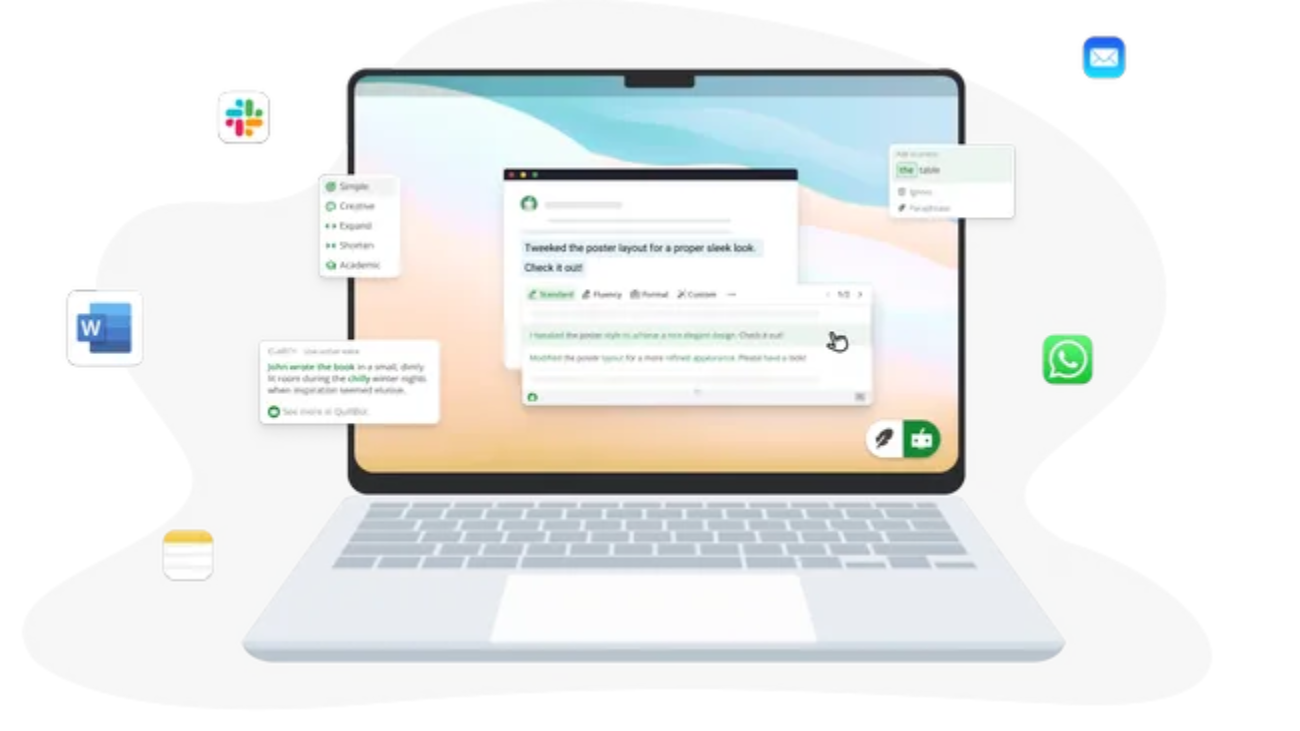
Artificial intelligence has transformed the way people write, edit, and refine content. Students use AI to improve essays, marketers streamline copywriting, professionals polish business emails, and bloggers accelerate content creation. Among the many AI writing tools available today, QuillBot has carved out a niche by focusing on one core strength: rewriting text while preserving its original meaning.
Unlike AI assistants that generate entire articles from scratch, QuillBot is primarily designed to improve existing writing. Its paraphrasing engine, grammar checker, summarizer, citation generator, and translation tools make it a practical companion for editing rather than replacing the writing process.
In this review, we’ll explore QuillBot’s features, pricing, strengths, weaknesses, and how it compares with other popular AI writing assistants.
What Is QuillBot?
QuillBot is an AI-powered writing assistant that helps users rewrite, edit, summarize, and improve text. It uses natural language processing (NLP) to suggest alternative wording while maintaining the intended meaning of the original content.
The platform is widely used by:
- Students
- Bloggers
- Researchers
- Content creators
- Marketing professionals
- Business teams
- Freelance writers
Unlike general-purpose AI chatbots, QuillBot focuses specifically on improving written content through editing and refinement rather than generating long-form content from scratch.
Key Features of QuillBot
1. AI Paraphraser
The Paraphraser is QuillBot’s flagship feature.
Users can paste text into the editor, and QuillBot rewrites it using different sentence structures, vocabulary, and writing styles while preserving the original meaning.
Depending on your plan, you can choose from multiple writing modes, including:
- Standard
- Fluency
- Formal
- Simple
- Creative
- Expand
- Shorten
This flexibility makes it useful for everything from academic writing to marketing copy.
2. Grammar Checker
QuillBot includes a built-in grammar checker that identifies:
- Grammar mistakes
- Spelling errors
- Punctuation issues
- Sentence structure problems
- Clarity improvements
Rather than only highlighting errors, it also suggests revisions that improve readability.
3. AI Summarizer
For users working with lengthy documents, QuillBot’s summarizer can condense articles, research papers, reports, and other content into shorter, more digestible summaries.
It offers:
- Paragraph summaries
- Bullet-point summaries
- Adjustable summary length
This feature is particularly useful for students, researchers, and professionals reviewing large volumes of information.
4. Citation Generator
Academic users benefit from QuillBot’s citation generator, which supports common citation styles such as:
- APA
- MLA
- Chicago
This helps streamline the process of formatting references for essays, research papers, and reports.
5. AI Detector
QuillBot also offers an AI detection tool that analyzes text and estimates whether it may have been generated by AI.
It’s important to note that AI detection tools are not perfectly accurate, and results should be treated as estimates rather than definitive conclusions.
6. Translator
QuillBot supports translation across multiple languages, allowing users to rewrite and translate content within the same workflow.
While useful for general communication, professional or legal translations should still be reviewed by a fluent speaker.
Browser Extensions and Integrations
QuillBot integrates with several popular writing environments.
Available integrations include:
- Google Docs
- Microsoft Word
- Chrome extension
- Microsoft Edge extension
These integrations allow users to access QuillBot’s editing tools without leaving their preferred writing platform.
User Interface
One of QuillBot’s strengths is its clean and beginner-friendly interface.
Most tools follow the same workflow:
- Paste your text.
- Select the desired mode.
- Review AI suggestions.
- Accept or modify the rewritten content.
This straightforward design makes it accessible even for users with little experience using AI writing tools.
QuillBot Free vs Premium
Free Version
The free plan provides access to:
- Basic paraphrasing
- Grammar checking
- Limited summarization
- Limited writing modes
However, it includes restrictions on word count and available features.
Premium Version
Premium subscribers receive:
- Higher word limits
- All paraphrasing modes
- Faster processing
- Advanced rewriting options
- Better customization
- Priority support
Frequent writers are likely to benefit more from the Premium plan.
QuillBot Pros and Cons
Pros
- Excellent paraphrasing quality
- Simple and intuitive interface
- Useful grammar correction
- Strong summarization tools
- Browser and Microsoft Word integrations
- Helpful for students and professionals
- Free version available
Cons
- Free version has strict usage limits
- AI may occasionally alter the intended meaning of complex text
- Not designed for full long-form content generation
- Premium subscription required for advanced features
Who Should Use QuillBot?
Students
QuillBot helps improve essays, assignments, and research writing while making text clearer and easier to read.
Bloggers
Content creators can use QuillBot to improve sentence flow, reduce repetition, and polish drafts.
Business Professionals
The grammar checker and paraphrasing tools help improve emails, reports, and presentations.
Researchers
Summarization and citation features can save time when reviewing academic material.
QuillBot vs Grammarly
| Feature | QuillBot | Grammarly |
|---|---|---|
| Paraphrasing | Excellent | Limited |
| Grammar Checking | Very Good | Excellent |
| AI Writing | Moderate | Advanced |
| Summarizer | Yes | Limited |
| Citation Generator | Yes | No built-in citation tool |
| Best For | Rewriting & editing | Grammar & writing assistance |
If your primary goal is rewriting existing content, QuillBot is often the stronger option. If you need comprehensive grammar correction and communication assistance across emails and documents, Grammarly may be the better fit.
AI and the Future of QuillBot
AI writing assistants continue to evolve rapidly.
Future versions of QuillBot are likely to introduce:
- Smarter contextual rewriting
- Improved multilingual support
- Better document understanding
- More personalized writing suggestions
- Expanded collaboration features
As AI models improve, writing assistants are expected to shift from basic editing toward more intelligent writing support while keeping users in control of the final output.
Is QuillBot Worth It?
For users who frequently rewrite, edit, or refine text, QuillBot offers significant value.
Its paraphrasing engine remains one of the strongest in its category, and features like grammar checking, summarization, and citation generation make it particularly appealing for students, educators, researchers, and content creators.
The free plan is sufficient for occasional use, but heavy users will likely benefit from Premium’s expanded capabilities and higher usage limits.
Final Verdict
QuillBot isn’t trying to replace human writers—it aims to make writing clearer, more concise, and easier to refine. That focused approach is what sets it apart from many broader AI assistants.
Its paraphrasing tool is among the best available, and the additional grammar, summarization, translation, and citation features make it a versatile companion for a wide range of writing tasks. While the free version has noticeable limitations, the Premium plan unlocks the platform’s full potential for frequent users.
Whether you’re editing an academic paper, polishing a blog post, or refining business communication, QuillBot remains one of the most useful AI writing assistants available in 2026.
Frequently Asked Questions
What is QuillBot?
QuillBot is an AI-powered writing assistant that helps users paraphrase, edit, summarize, translate, and improve written content.
Is QuillBot free?
Yes. QuillBot offers a free plan with basic features, while Premium subscriptions provide additional writing modes, higher word limits, and advanced tools.
Is QuillBot good for students?
Yes. Many students use QuillBot for paraphrasing, grammar checking, summarizing research, and generating citations, though they should always review AI-generated suggestions for accuracy.
What’s the difference between QuillBot and Grammarly?
QuillBot specializes in paraphrasing and rewriting text, while Grammarly focuses more on grammar correction, spelling, tone, and overall writing quality.
Can QuillBot write complete articles?
QuillBot is primarily designed to improve and rewrite existing text rather than generate complete long-form articles from scratch. It works best as an editing and refinement tool rather than a full AI content generator.