software

Best Free Office Software in 2026: Top Microsoft Office Alternatives Compared

Microsoft 365 remains the benchmark for office productivity, but it’s no longer the only serious option. Subscription costs have encouraged many users—including students, freelancers, small businesses, and even larger organizations—to explore free office software that can handle everyday document editing without sacrificing essential features.

The good news is that today’s free office suites are far more capable than they were a decade ago. Many support Microsoft Word, Excel, and PowerPoint file formats, offer cloud collaboration, and work across Windows, macOS, Linux, and mobile devices.

This guide compares the best free office software available in 2026, highlights their strengths and limitations, and helps you choose the right productivity suite based on your workflow.

What Is Free Office Software?

Free office software refers to applications that let you create, edit, and manage documents, spreadsheets, and presentations without paying a subscription fee.

Most office suites include:

  • Word processor
  • Spreadsheet editor
  • Presentation software
  • PDF support
  • Document templates
  • File export options

Some also provide cloud storage, real-time collaboration, note-taking, and project management tools.

What Should You Look For?

Before downloading any office suite, consider these factors:

Microsoft Office Compatibility

If colleagues send DOCX, XLSX, or PPTX files, compatibility is critical. Formatting issues can become a major productivity problem.

Collaboration

Cloud-based editing is essential for teams working remotely.

Offline Access

Students and professionals often need software that works without an internet connection.

Cross-Platform Support

Many users switch between desktops, laptops, tablets, and smartphones throughout the day.

Privacy

Offline applications generally provide greater control over your files than browser-based alternatives.

Best Free Office Software in 2026

1. LibreOffice

Best Overall Free Office Suite

LibreOffice remains one of the strongest free alternatives to Microsoft Office.

Developed by The Document Foundation, it’s completely open source and includes:

  • Writer
  • Calc
  • Impress
  • Draw
  • Base
  • Math

Its biggest advantage is that nearly every feature is available without requiring payment.

Pros

  • Completely free
  • No advertisements
  • Excellent offline support
  • Strong Microsoft file compatibility
  • Available on Windows, macOS, and Linux

Cons

  • Interface feels dated compared to newer competitors
  • Limited built-in cloud collaboration

LibreOffice is particularly attractive for users who value privacy, offline work, and long-term reliability.

2. Google Docs

Best for Collaboration

Google Docs changed how people work together on documents.

Instead of emailing multiple versions back and forth, teams can edit files simultaneously in real time.

Key advantages include:

  • Automatic saving
  • Version history
  • Browser-based editing
  • Easy sharing
  • Integration with Google Drive

Best For

  • Students
  • Remote teams
  • Teachers
  • Small businesses

The main limitation is that advanced formatting still isn’t as comprehensive as Microsoft Word for complex documents.

3. WPS Office Free

Best Microsoft Office Look-Alike

If you’re moving away from Microsoft Office, WPS Office offers one of the most familiar interfaces.

The suite includes:

  • Writer
  • Spreadsheet
  • Presentation
  • PDF tools

Strengths

  • Modern interface
  • Excellent Microsoft compatibility
  • Built-in PDF tools
  • Mobile apps
  • Cloud synchronization

Drawbacks

  • Advertisements in the free version
  • Some premium features require payment

For users who want the smallest learning curve, WPS Office is an appealing choice.

4. OnlyOffice

Best for Teams

OnlyOffice focuses heavily on business collaboration.

It combines desktop applications with cloud editing and supports:

  • Word processing
  • Spreadsheets
  • Presentations
  • Forms
  • Team collaboration

Highlights

  • Excellent Microsoft Office compatibility
  • Real-time collaboration
  • Clean interface
  • Self-hosting options for organizations

It’s particularly popular among businesses seeking an alternative to Microsoft 365 while maintaining compatibility with Office file formats.

5. Zoho Workplace

Best for Small Businesses

Zoho Workplace extends beyond document editing.

The platform includes:

  • Writer
  • Sheet
  • Show
  • Business email
  • File storage
  • Team communication

Businesses already using Zoho’s CRM ecosystem will find Workplace especially convenient because of its seamless integrations.

6. FreeOffice

Best Lightweight Desktop Suite

Developed by SoftMaker, FreeOffice offers a polished desktop experience with excellent support for Microsoft document formats.

Advantages include:

  • Fast performance
  • Familiar ribbon interface
  • Strong compatibility
  • Lightweight installation

For older computers, FreeOffice is often faster than larger office suites.

7. Microsoft 365 Online

Many people don’t realize Microsoft itself offers free web versions of Word, Excel, and PowerPoint.

These browser-based applications provide:

  • Basic editing
  • OneDrive integration
  • Collaboration
  • Familiar Microsoft interface

While advanced desktop features remain exclusive to paid Microsoft 365 subscriptions, the free online apps cover many everyday tasks.

Comparison Table

SoftwareOfflineCloud CollaborationMicrosoft File SupportBest For
LibreOfficeLimitedExcellentGeneral users
Google DocsLimitedExcellentVery GoodCollaboration
WPS OfficeGoodExcellentHome users
OnlyOfficeExcellentExcellentTeams
Zoho WorkplaceBrowser-basedExcellentVery GoodSmall businesses
FreeOfficeLimitedExcellentOlder PCs
Microsoft 365 OnlineBrowser-basedExcellentNativeExisting Microsoft users

Which Office Suite Is Best for Different Users?

Students

Google Docs is ideal for collaborative assignments, while LibreOffice offers powerful offline editing.

Freelancers

WPS Office and FreeOffice provide familiar interfaces with strong compatibility for client documents.

Small Businesses

Zoho Workplace and OnlyOffice combine productivity tools with collaboration features suitable for growing teams.

Privacy-Conscious Users

LibreOffice stands out because it works entirely offline and is open source, giving users greater control over their data.

Cloud vs Desktop Office Software

Choosing between cloud and desktop solutions depends on how you work.

Cloud Office Suites

Advantages

  • Automatic backup
  • Collaboration
  • Access from anywhere
  • No installation

Disadvantages

  • Internet dependency
  • Privacy considerations
  • Limited offline functionality

Desktop Office Suites

Advantages

  • Faster performance
  • Offline access
  • Better privacy
  • Full feature availability

Disadvantages

  • Manual updates
  • Collaboration may require additional tools

Many professionals now use a combination of both—for example, Google Docs for collaborative drafting and LibreOffice or OnlyOffice for final editing.

Can Free Office Software Replace Microsoft Office?

For many users, yes.

If your work primarily involves:

  • Letters
  • Reports
  • School assignments
  • Budgets
  • Presentations
  • Basic spreadsheets

a free office suite can easily meet your needs.

However, organizations that depend on advanced Excel macros, enterprise integrations, or specialized Microsoft features may still prefer Microsoft 365.

Trends Shaping Office Software

Productivity software is evolving rapidly.

Key trends include:

  • AI-assisted writing and editing
  • Smarter spreadsheet analysis
  • Integrated PDF editing
  • Improved cloud collaboration
  • Enhanced security and encryption
  • Cross-platform synchronization

Many free office suites are gradually introducing AI-powered features while maintaining their core focus on affordability and accessibility.

Pros and Cons of Free Office Software

Pros

  • No subscription fees
  • Suitable for students and home users
  • Microsoft file compatibility
  • Cross-platform support
  • Strong offline options
  • Active open-source communities for several projects

Cons

  • Some free versions include advertisements
  • Premium collaboration features may require upgrades
  • Formatting inconsistencies can occur with complex Office documents
  • Enterprise support is often limited

Final Verdict

Free office software has matured into a realistic alternative for millions of users. Whether you’re writing essays, managing business spreadsheets, preparing presentations, or collaborating with a remote team, there’s a free solution tailored to your needs.

For most users, LibreOffice remains the strongest all-around choice thanks to its comprehensive feature set, offline capabilities, and open-source foundation. Those who prioritize collaboration may prefer Google Docs, while OnlyOffice, WPS Office, and Zoho Workplace each excel in specific areas such as Microsoft compatibility, user experience, or team productivity.

The best choice ultimately depends on how you work—but one thing is clear: you no longer need an expensive subscription to stay productive.

Frequently Asked Questions

What is the best free office software?

LibreOffice is widely regarded as one of the best free office suites because it offers a full range of productivity tools, excellent Microsoft Office compatibility, and no subscription fees.

Can free office software open Microsoft Word files?

Yes. Most leading office suites—including LibreOffice, WPS Office, OnlyOffice, and FreeOffice—support DOCX, XLSX, and PPTX formats.

Which free office suite is best for collaboration?

Google Docs and OnlyOffice are among the strongest choices for real-time collaboration thanks to their cloud-based editing and sharing features.

Is LibreOffice completely free?

Yes. LibreOffice is open-source software and can be downloaded and used without subscription fees or advertisements.

Can I replace Microsoft Office with free software?

For everyday tasks such as writing documents, creating spreadsheets, and building presentations, many users can comfortably replace Microsoft Office with a modern free office suite.

Bovada

What Is Bovada? Features, Sports Betting, Casino, Poker & Safety Explained

Online betting has grown rapidly over the past decade, with platforms offering everything from sports wagering to casino games and poker under one account. Among the names that frequently comes up in discussions is Bovada, an offshore gambling platform that has attracted a large U.S.-based user base since launching under the Bovada brand in 2011.

If you’re researching the platform, it’s important to understand not only what Bovada offers but also how it operates, where it differs from state-regulated sportsbooks, and what legal and consumer-protection considerations come with using an offshore service.

This guide explains how Bovada works, its key features, available betting options, and the factors prospective users should weigh before creating an account.

What Is Bovada?

Bovada is an offshore online gambling platform that combines a sportsbook, online casino, poker room, horse racing betting, and other wagering markets into a single account.

Unlike licensed sportsbooks such as DraftKings or FanDuel that operate under individual U.S. state regulations, Bovada operates outside the U.S. regulatory framework and accepts players from many jurisdictions where it chooses to offer its services. Because it is not licensed by U.S. state gaming regulators, users do not receive the same consumer protections available through regulated operators.

What Does Bovada Offer?

One reason for Bovada’s popularity is that it combines several gambling products under one platform.

Sportsbook

The sportsbook allows users to wager on a wide variety of events, including:

  • NFL
  • NBA
  • MLB
  • NHL
  • Soccer
  • Tennis
  • Golf
  • MMA
  • Boxing
  • Motorsports
  • Esports
  • College sports

In addition to traditional pre-match betting, Bovada offers live (in-play) betting, allowing users to place wagers while games are in progress.

Online Casino

The casino section includes hundreds of games across several categories:

  • Slot machines
  • Blackjack
  • Roulette
  • Baccarat
  • Craps
  • Video poker
  • Progressive jackpots
  • Live dealer games

Many titles come from established game developers commonly found across international online casinos.

Poker

Bovada also operates an online poker room featuring:

  • Texas Hold’em
  • Omaha
  • Cash games
  • Sit & Go tournaments
  • Scheduled tournaments
  • Fast-fold poker formats

One distinctive feature is its anonymous poker tables, designed to reduce the advantage of tracking software and create a more level playing field for recreational players.

Horse Racing

For racing enthusiasts, Bovada includes pari-mutuel wagering on horse races from various tracks.

Users can typically place bets on:

  • Win
  • Place
  • Show
  • Exacta
  • Trifecta
  • Daily Double
  • Pick wagers

How Does Bovada Work?

Creating an account generally follows the same process as many online betting platforms:

  1. Register with personal information.
  2. Verify eligibility based on location.
  3. Deposit funds using an available payment method.
  4. Browse sportsbook, casino, or poker offerings.
  5. Place bets or play games.
  6. Request withdrawals when eligible.

The interface is designed to work through desktop and mobile web browsers without requiring a dedicated mobile app in most markets.

Payment Methods

Bovada supports several deposit and withdrawal methods, including:

  • Credit cards (availability varies)
  • Debit cards
  • Bank transfers (where supported)
  • Cryptocurrency
  • Other region-specific payment options

Cryptocurrency has become particularly popular among Bovada users because it often offers faster processing times and lower transaction fees than traditional banking methods.

Mobile Experience

Rather than relying on downloadable apps, Bovada uses a responsive website optimized for mobile browsers.

This allows users to:

  • Place sports bets
  • Play casino games
  • Join poker tables
  • Manage deposits
  • Access promotions

from smartphones and tablets without installing additional software.

Is Bovada Legal?

This is one of the most frequently asked questions—and one of the most nuanced.

Bovada is not licensed by U.S. state gaming regulators. It operates offshore and serves players in jurisdictions where it chooses to do business. Because gambling laws vary significantly by state and country, access to Bovada depends on local regulations and the platform’s own restrictions. Several U.S. states have issued enforcement actions or cease-and-desist orders against the operator, and Bovada blocks registrations from a number of states.

For users, the practical implication is that Bovada does not provide the same regulatory oversight, dispute resolution mechanisms, or consumer protections that licensed domestic sportsbooks offer.

Before using any online betting platform, always check the gambling laws applicable in your jurisdiction.

How Bovada Differs from Regulated Sportsbooks

FeatureBovadaState-Licensed Sportsbooks
U.S. State LicenseNoYes
Consumer ProtectionLimitedStrong regulatory oversight
Sports BettingYesYes
Casino GamesYesVaries
PokerYesLimited in many states
Cryptocurrency SupportExtensiveVaries
Responsible Gambling OversightLimited compared to regulated operatorsRequired by regulators

The biggest difference is regulation. Licensed operators are subject to state oversight, audits, and formal dispute-resolution processes, while offshore platforms are not.

Advantages of Bovada

Users often cite several strengths:

Wide Range of Betting Markets

Sports, casino games, poker, horse racing, esports, and entertainment wagers are available through one account.

Cryptocurrency Support

Many players prefer crypto deposits and withdrawals for their speed and lower fees.

Established Brand

Bovada has operated under its current brand for more than a decade and has built a sizable customer base.

Mobile-Friendly Website

The browser-based platform works across most modern smartphones and tablets without requiring a dedicated app.

Potential Drawbacks

Prospective users should also consider the limitations:

  • No U.S. state license
  • Limited consumer protections
  • Availability depends on jurisdiction
  • Banking methods may vary
  • Responsible gambling safeguards may differ from regulated operators

These factors may be significant for users who prioritize regulatory oversight and formal dispute resolution.

Who Is Bovada Best Suited For?

Bovada may appeal to users who are looking for:

  • A platform combining sports betting, casino games, and poker
  • Cryptocurrency payment options
  • A browser-based betting experience
  • Access to a broad range of wagering markets (where legally available)

However, users who prefer the protections associated with state-regulated gambling platforms may find licensed domestic sportsbooks a better fit.

Responsible Gambling Matters

Regardless of the platform you choose, responsible gambling should always come first.

Good practices include:

  • Setting spending limits
  • Avoiding chasing losses
  • Treating gambling as entertainment rather than income
  • Taking regular breaks
  • Seeking help if gambling begins to affect your finances or personal life

Many regulated sportsbooks also offer self-exclusion tools and deposit limits that may not be available to the same extent on offshore platforms.

Future Outlook

The online gambling industry continues to evolve as more jurisdictions introduce regulated sports betting and online casino markets. At the same time, regulators in several U.S. states have increased scrutiny of offshore operators, leading some platforms to restrict access in additional regions.

For consumers, this means the availability and legal landscape surrounding offshore betting sites like Bovada may continue to change over time.

Final Verdict

Bovada remains one of the most recognized offshore betting platforms, offering a comprehensive mix of sports betting, casino games, poker, and horse racing from a single account. Its broad selection of wagering markets, mobile-friendly interface, and cryptocurrency support have contributed to its long-standing popularity among many users.

That said, prospective customers should understand an important distinction: Bovada operates outside U.S. state regulatory systems. While that allows it to serve certain markets, it also means users may not receive the same legal protections, regulatory oversight, or dispute-resolution mechanisms available through licensed sportsbooks.

Before opening an account, review the gambling laws where you live, understand the platform’s terms, and consider whether a regulated alternative better matches your needs. Above all, gamble responsibly and only with money you can afford to lose.

Frequently Asked Questions

What is Bovada?

Bovada is an offshore online gambling platform offering sports betting, casino games, poker, horse racing, and other wagering markets through a single account.

Is Bovada legal?

Its legal status depends on your jurisdiction. Bovada is not licensed by U.S. state gaming regulators and is unavailable in several states due to legal and regulatory restrictions.

Does Bovada have a mobile app?

In most markets, Bovada does not offer a native mobile app. Instead, it provides a mobile-optimized website that works through standard web browsers.

What payment methods does Bovada support?

The platform supports several payment methods, including cryptocurrencies and selected traditional banking options, though availability varies by location.

Is Bovada the same as a regulated sportsbook?

No. Unlike sportsbooks licensed by individual U.S. states, Bovada operates offshore and is not subject to the same regulatory oversight or consumer-protection requirements.

Amazon Prime

What Is Amazon Prime? Membership Plans, Benefits, Pricing & Free Trial Explained (2026 Guide)

Amazon Prime has evolved far beyond a subscription that offers faster shipping. Today, it bundles shopping perks, streaming entertainment, music, gaming, digital reading, and exclusive shopping events into a single membership. For millions of subscribers, it’s become an all-in-one ecosystem that extends well beyond the Amazon marketplace.

If you’re considering signing up—or wondering whether it’s still worth paying for in 2026—this guide breaks down how Amazon Prime works, what benefits you receive, available membership plans, and who gets the most value from it.

What Is Amazon Prime?

Amazon Prime is a paid membership program that provides subscribers with exclusive shopping, entertainment, and digital services. Members gain access to faster deliveries on eligible products, exclusive discounts during major sales, streaming through Prime Video, music, gaming rewards, reading benefits, and more.

Although Prime originally focused on shipping, it has grown into a subscription service that competes with standalone streaming platforms and digital entertainment services.

What Does Amazon Prime Include?

A Prime membership combines several services under one subscription.

1. Fast and Free Delivery

One of Prime’s biggest attractions remains expedited shipping.

Depending on your location and product eligibility, members may receive:

  • Same-day delivery
  • One-day delivery
  • Two-day delivery
  • Scheduled delivery windows
  • No minimum order value on many Prime-eligible items

Frequent shoppers often recover a significant portion of the membership cost through delivery savings alone. Amazon says many Indian Prime members save more on shipping each year than the cost of an annual membership.

2. Prime Video

Prime Video is included with eligible Amazon Prime memberships and offers a broad selection of:

  • Movies
  • TV series
  • Amazon Originals
  • Regional content
  • International productions
  • Selected live sports (market dependent)

Popular originals include:

  • The Boys
  • Reacher
  • Fallout
  • The Lord of the Rings: The Rings of Power
  • The Marvelous Mrs. Maisel

Prime Video has become one of Amazon’s strongest membership benefits and competes directly with Netflix, Disney+, and Max.

3. Prime Music

Music lovers receive access to millions of songs, curated playlists, and podcasts.

Depending on your region and plan, Amazon also offers promotional access to Amazon Music Unlimited, which expands the available catalog and features.

4. Prime Reading

Prime Reading gives members access to a rotating collection of:

  • eBooks
  • Magazines
  • Comics
  • Children’s books

It’s a useful addition for casual readers who don’t need a dedicated eBook subscription.

5. Prime Gaming

Gaming has become another important part of the Prime ecosystem.

Prime Gaming includes:

  • Free PC games
  • In-game content
  • Exclusive rewards
  • Monthly digital offers

For gamers already active on supported platforms, these extras can add meaningful value over time.

6. Exclusive Prime Day Deals

Prime Day is Amazon’s largest members-only shopping event, featuring discounts across electronics, home appliances, fashion, and more. Prime members also receive early access to many limited-time deals and product launches.

Amazon Prime Membership Plans

Membership pricing varies by country.

India

Amazon currently offers multiple Prime options, including:

PlanBest For
Prime Shopping EditionCustomers who want shopping and delivery benefits only
Prime LiteBudget-conscious users with limited entertainment needs
Full Prime MembershipComplete shopping and entertainment experience
Monthly & Quarterly PlansFlexible short-term access

Pricing in India currently ranges from ₹399 to ₹1,499, depending on the plan and included benefits.

Does Amazon Prime Offer a Free Trial?

Yes.

New eligible customers can often access a 30-day free trial, allowing them to experience most Prime benefits before paying.

Depending on the country and promotional period, Amazon may also provide extended trials for students or young adults. Availability varies by region.

How to Sign Up for Amazon Prime

Getting started is simple:

  1. Visit Amazon’s Prime membership page.
  2. Sign in with your Amazon account or create a new one.
  3. Select your preferred membership plan.
  4. Add a payment method.
  5. Activate your membership or free trial.

If you’re eligible for a free trial, you can cancel before the renewal date to avoid being charged.

Amazon Prime vs Prime Video

This is one of the most common points of confusion.

Prime Video

  • Streaming service only
  • Movies
  • TV shows
  • Amazon Originals

Amazon Prime

Includes Prime Video plus:

  • Fast delivery
  • Prime Music
  • Prime Reading
  • Prime Gaming
  • Shopping discounts
  • Prime Day access
  • Additional member-exclusive perks

If you frequently shop on Amazon, the full Prime membership generally offers more value than subscribing to Prime Video alone.

Who Should Buy Amazon Prime?

Amazon Prime isn’t designed for every type of customer.

It’s best suited for:

Frequent Amazon Shoppers

Delivery savings can quickly offset the membership fee.

Movie & TV Fans

Prime Video provides a substantial catalog of exclusive and licensed content.

Families

A single subscription combines shopping, entertainment, reading, and music.

Students

Where available, discounted student memberships and extended free trials make Prime particularly attractive.

Gamers

Prime Gaming offers ongoing digital rewards that can complement the subscription’s other benefits.

Is Amazon Prime Worth the Cost?

Whether Prime is worth it depends on how you use Amazon.

It’s often a good investment if you:

  • Place multiple Amazon orders each month.
  • Stream movies and TV regularly.
  • Enjoy exclusive shopping events.
  • Listen to music.
  • Read eBooks.
  • Play supported games.

If you only make occasional purchases and rarely use Amazon’s entertainment services, the value proposition becomes less compelling.

Pros and Cons

Pros

  • Fast shipping on eligible products
  • Prime Video included
  • Prime Music and Reading access
  • Gaming rewards
  • Exclusive Prime Day discounts
  • Multiple membership options
  • Free trial for eligible users

Cons

  • Benefits vary by country.
  • Some premium content requires additional subscriptions.
  • Certain Prime Video features, such as ad-free viewing in some regions, may involve extra charges.
  • Casual shoppers may not fully utilize the membership.

How Amazon Prime Has Changed

Prime has steadily expanded from a shipping membership into a broader digital subscription.

Recent developments include:

  • More flexible membership tiers in India.
  • Shopping-only plans for budget-conscious users.
  • Continued investment in Prime Video originals.
  • Expanded gaming and reading benefits.
  • Additional promotional perks around Prime Day, including trial offers for services like Audible and Amazon Music Unlimited.

This shift reflects Amazon’s strategy of making Prime a central hub for shopping and digital entertainment.

Tips to Get the Most from Your Membership

Many subscribers use only a fraction of what’s included. To maximize your subscription:

  • Watch exclusive Prime Video originals.
  • Check Prime Reading for free books.
  • Claim monthly Prime Gaming rewards.
  • Shop during Prime Day and major sale events.
  • Enable fast-delivery options on eligible products.
  • Explore promotional offers for Audible, Kindle Unlimited, and Amazon Music when available.

The Future of Amazon Prime

Amazon continues to invest heavily in logistics, streaming, artificial intelligence, and digital services. Future improvements are likely to focus on faster delivery, smarter shopping recommendations, enhanced streaming experiences, and deeper integration between Prime benefits.

As competition from services like Walmart+, Netflix, Disney+, and Apple continues to grow, Prime’s strength lies in offering multiple services under a single subscription rather than competing in just one category.

Final Verdict

Amazon Prime has become much more than a fast-shipping membership. It combines e-commerce convenience with streaming, music, reading, gaming, and exclusive shopping events, making it one of the most comprehensive subscription services available.

For frequent Amazon customers, the membership can quickly pay for itself through delivery savings and exclusive discounts. Add in Prime Video, Prime Music, Prime Reading, and Prime Gaming, and the overall package delivers strong value for households that actively use multiple Amazon services.

If you rarely shop on Amazon or only need a single entertainment service, a standalone subscription elsewhere may be more cost-effective. But for users who want an all-in-one ecosystem, Amazon Prime remains one of the strongest membership programs on the market.

Frequently Asked Questions

What is Amazon Prime?

Amazon Prime is a subscription service that offers benefits such as faster delivery, Prime Video, Prime Music, Prime Reading, Prime Gaming, and access to exclusive shopping events.

Is there a free Amazon Prime trial?

Yes. Eligible new customers can often access a 30-day free trial, though availability depends on the country and promotional offers.

What is the difference between Prime Video and Amazon Prime?

Prime Video is the streaming service, while Amazon Prime is the broader membership that includes Prime Video along with shopping, shipping, music, reading, gaming, and other benefits.

How much does Amazon Prime cost in India?

Amazon offers multiple membership options in India, with plans ranging from ₹399 to ₹1,499, depending on the features included.

Is Amazon Prime worth it?

For users who regularly shop on Amazon and use services like Prime Video, Music, Reading, or Gaming, the membership can provide significant value through bundled benefits and exclusive savings.

Hulu

What Is Hulu? Plans, Pricing, Devices, Live TV & How to Sign Up (2026 Guide)

Streaming services have transformed how we watch television, but with so many platforms competing for attention, choosing the right one isn’t always straightforward. Hulu has carved out a unique position by combining on-demand entertainment with live television, giving subscribers access to current TV episodes, award-winning originals, blockbuster movies, and live sports—all from a single platform.

Whether you’re considering Hulu for the first time or comparing it with services like Netflix, Disney+, or Max, this guide explains everything you need to know, from subscription options and supported devices to standout features and whether it’s worth the monthly cost.

What Is Hulu?

Hulu is a subscription-based streaming platform offering a mix of on-demand TV shows, movies, original programming, and optional live television. Unlike many streaming competitors that focus primarily on exclusive content, Hulu is known for providing access to episodes from major U.S. television networks shortly after they air.

The platform is jointly owned by Disney and has become an important part of the company’s streaming ecosystem, alongside Disney+ and ESPN.

Subscribers can choose between affordable on-demand plans or upgrade to Hulu + Live TV, which combines streaming with live television channels, sports, and news.

What Can You Watch on Hulu?

Hulu’s content library is one of its biggest strengths. It offers a wide range of programming across multiple genres, making it suitable for families, movie enthusiasts, and binge-watchers alike.

TV Shows

One of Hulu’s standout features is access to current-season episodes from several major television networks. Instead of waiting months for a full season to appear, viewers can often stream new episodes shortly after broadcast.

Popular categories include:

  • Drama series
  • Comedy shows
  • Reality TV
  • Crime documentaries
  • Animated series
  • Kids’ programming

Movies

Hulu regularly refreshes its movie library with:

  • Hollywood blockbusters
  • Independent films
  • Award-winning dramas
  • Family movies
  • Action and adventure titles
  • Horror collections
  • Romantic comedies

Unlike some competitors, Hulu rotates content frequently due to licensing agreements, meaning available movies may change each month.

Hulu Originals

Original programming has become a major reason people subscribe.

Some of Hulu’s most acclaimed originals include:

  • The Handmaid’s Tale
  • Only Murders in the Building
  • The Bear
  • Dopesick
  • Nine Perfect Strangers
  • Futurama (new seasons)

These exclusive productions have earned numerous awards and helped Hulu compete with larger streaming platforms.

Hulu Subscription Plans

Hulu offers several subscription options designed to suit different viewing preferences and budgets.

Hulu (With Ads)

The most affordable option includes:

  • Full streaming library
  • Advertisements during playback
  • Access to Hulu Originals
  • Movies and TV shows
  • Multiple supported devices

This plan is ideal for casual viewers who don’t mind commercial breaks.

Hulu (No Ads)

Subscribers who prefer uninterrupted viewing can choose the ad-free plan.

Benefits include:

  • Minimal interruptions
  • Download support for offline viewing (on supported content)
  • Full streaming library
  • Better binge-watching experience

Some licensed shows may still include limited advertising due to contractual obligations.

Hulu + Live TV

This premium package combines traditional television with modern streaming.

Subscribers receive:

  • Live TV channels
  • Sports coverage
  • Local news (availability varies by region)
  • Entertainment networks
  • On-demand Hulu library

It’s designed for viewers who want to replace traditional cable without giving up live programming.

Disney Bundle: More Than Just Hulu

One of Hulu’s biggest advantages is its integration with Disney’s broader streaming portfolio.

The Disney Bundle allows subscribers to combine:

  • Hulu
  • Disney+
  • ESPN

Instead of managing multiple subscriptions separately, users can access a broader range of entertainment, sports, documentaries, and family content under one billing plan.

For households with diverse viewing interests, the bundle often represents better overall value than subscribing to each service individually.

Supported Devices

Hulu is available across a wide range of platforms, making it accessible whether you’re watching at home or on the move.

Supported devices include:

Smart TVs

Most modern smart TVs from major manufacturers support the Hulu app.

Streaming Devices

Compatible devices include:

  • Roku
  • Amazon Fire TV
  • Apple TV
  • Google TV
  • Chromecast

Mobile Devices

Hulu apps are available for:

  • Android smartphones
  • Android tablets
  • iPhone
  • iPad

Game Consoles

Supported gaming platforms include:

  • PlayStation
  • Xbox

Web Browsers

Users can also stream directly through supported desktop browsers without installing additional software.

How to Sign Up for Hulu

Getting started is straightforward.

Step 1

Visit Hulu’s official website or download the Hulu app.

Step 2

Choose a subscription plan that matches your viewing preferences.

Step 3

Create an account using your email address.

Step 4

Enter your payment information.

Step 5

Start watching immediately after your subscription is activated.

The entire process typically takes only a few minutes.

Key Features That Make Hulu Stand Out

Next-Day TV Episodes

Unlike many competitors, Hulu often provides access to newly aired television episodes shortly after broadcast.

For viewers who don’t have cable, this is one of Hulu’s strongest advantages.

Personalized Recommendations

Hulu analyzes viewing habits to recommend shows and movies based on your interests.

The recommendation engine becomes more accurate over time, helping users discover content they might otherwise overlook.

Multiple User Profiles

Households can create individual viewing profiles.

Each profile receives:

  • Personalized recommendations
  • Separate watch history
  • Individual watchlists

This prevents family members’ viewing habits from affecting one another.

Offline Downloads

Ad-free subscribers can download selected content for offline viewing.

This feature is particularly useful during flights, road trips, or areas with unreliable internet access.

Live Sports

Hulu + Live TV includes access to many live sporting events through supported channels.

Depending on your subscription and location, this may include:

  • NFL
  • NBA
  • MLB
  • NHL
  • College sports
  • Soccer tournaments

Sports availability depends on broadcasting rights and regional restrictions.

Hulu vs Other Streaming Services

Hulu vs Netflix

Netflix focuses heavily on original productions and international content.

Hulu offers:

  • Recent TV episodes
  • Live television options
  • Disney Bundle integration

If staying current with television broadcasts matters most, Hulu has a distinct advantage.

Hulu vs Disney+

Disney+ emphasizes:

  • Marvel
  • Pixar
  • Star Wars
  • Disney classics
  • National Geographic

Hulu provides a broader selection of adult-oriented dramas, comedies, documentaries, and network television.

Hulu vs Max

Max excels in premium HBO programming and blockbuster films.

Hulu offers stronger next-day TV access and optional live television.

Hulu vs Amazon Prime Video

Prime Video includes a large content library as part of an Amazon Prime membership.

Hulu, however, often delivers more timely television content and a simpler streaming experience focused entirely on entertainment.

Benefits of Choosing Hulu

Some of Hulu’s biggest advantages include:

  • Extensive TV library
  • Award-winning original programming
  • Live TV option
  • Multiple subscription tiers
  • Broad device compatibility
  • Disney Bundle integration
  • Personalized recommendations
  • Offline downloads (eligible plans)

Potential Drawbacks

Despite its strengths, Hulu isn’t perfect.

Users should also consider:

  • Advertisements on lower-priced plans
  • Frequent content rotation due to licensing
  • Live TV plans cost significantly more than standard streaming subscriptions
  • Availability is limited to select countries

These factors may influence whether Hulu is the best fit for your viewing habits.

Who Should Subscribe to Hulu?

Hulu is an excellent choice for:

  • TV enthusiasts who don’t want to wait months for new episodes
  • Families seeking diverse entertainment options
  • Sports fans considering cable alternatives
  • Viewers interested in acclaimed original series
  • Users who already subscribe to Disney+ or ESPN through bundled plans

If your primary interest is live television combined with streaming, Hulu remains one of the strongest options available.

Future Outlook

As streaming competition intensifies, Hulu is expected to continue expanding its original programming while strengthening integration with Disney’s broader ecosystem.

Industry trends also point toward:

  • More personalized content recommendations powered by AI
  • Enhanced streaming quality
  • Interactive viewing experiences
  • Broader live sports coverage
  • Improved content discovery features

With streaming audiences continuing to grow globally, Hulu is well-positioned to remain a major player in the entertainment industry.

Final Verdict

Hulu stands out by offering something many competitors don’t: a compelling mix of current television, exclusive originals, blockbuster movies, and live TV in a single service. Whether you’re catching up on the latest episodes, following live sports, or exploring critically acclaimed originals, Hulu delivers a flexible viewing experience for a wide range of audiences.

While its content library changes over time and premium plans can be expensive, the platform’s variety, device compatibility, and Disney Bundle integration make it a strong contender in today’s crowded streaming market. For viewers looking for a balance between traditional television and on-demand entertainment, Hulu remains one of the most versatile streaming services available.

Frequently Asked Questions

Is Hulu free?

No. Hulu is a paid subscription service, although promotional offers or free trial periods may be available at certain times.

Can I watch live TV on Hulu?

Yes. Hulu + Live TV includes access to live news, sports, and entertainment channels, along with Hulu’s on-demand library.

Does Hulu work on Smart TVs?

Yes. Hulu supports many Smart TVs, streaming devices, gaming consoles, smartphones, tablets, and web browsers.

Can I download Hulu shows for offline viewing?

Yes. Offline downloads are available for eligible content on supported devices with select subscription plans.

Is Hulu available outside the United States?

Hulu’s availability is primarily limited to the United States. Some Hulu Originals may be distributed internationally through other streaming services, such as Disney+, depending on the region.

Youtube

Best Free YouTube Downloader Tools in 2026: Safe, Fast & Easy Options Compared

YouTube has become the world’s largest video library, hosting everything from educational courses and software tutorials to documentaries, podcasts, and creative content. While streaming is convenient, there are plenty of situations where offline access makes more sense—whether you’re traveling, working with an unreliable internet connection, or simply want to save a lecture to watch later.

That’s where a free YouTube downloader comes in.

The challenge isn’t finding one—it’s finding one that’s reliable, secure, and doesn’t bury you under intrusive ads or questionable software. Many downloaders disappear overnight, while others promise premium features but deliver a frustrating user experience.

This guide looks at some of the best free YouTube downloader tools available today, explains what features actually matter, and highlights the legal and security considerations every user should understand before downloading videos.

What Is a Free YouTube Downloader?

A free YouTube downloader is software or a web-based tool that lets users save YouTube videos for offline viewing. Depending on the application, you may be able to download:

  • Individual videos
  • Entire playlists
  • YouTube Shorts
  • Audio-only files
  • Subtitles
  • Multiple resolutions, including HD and 4K (where supported)

Some tools run directly in your browser, while others are desktop applications offering faster downloads, batch processing, and advanced format conversion.

What Makes a Good YouTube Downloader?

Not every downloader offers the same experience. The best options typically provide:

  • Fast download speeds
  • Clean, ad-light interface
  • Multiple video formats
  • Audio extraction
  • Playlist support
  • High-resolution downloads
  • Regular software updates
  • No bundled malware

Security and long-term maintenance matter just as much as features. A downloader that isn’t actively updated may eventually stop working as YouTube changes its platform.

Best Free YouTube Downloader Tools

1. 4K Video Downloader

Best for: High-quality video downloads

4K Video Downloader has earned a strong reputation for its polished interface and dependable performance. It supports downloads in multiple resolutions, including 1080p, 4K, and even 8K when available.

Pros

  • Clean interface
  • Playlist support
  • Subtitle downloads
  • Cross-platform compatibility
  • Reliable updates

Limitations

  • Free version limits some advanced features.
  • Batch downloading is restricted compared to the paid edition.

2. ClipGrab

Best for: Beginners

ClipGrab keeps things simple.

Paste a YouTube URL, choose the format, and start downloading. It also includes built-in search functionality, reducing the need to switch between applications.

Pros

  • Completely free
  • Easy setup
  • MP3 conversion
  • Lightweight application

Limitations

  • Limited advanced settings
  • Basic interface

3. Any Video Converter Free

Despite its name, this software does much more than convert video formats.

It can download videos from numerous platforms and convert them into formats optimized for smartphones, tablets, gaming consoles, and desktop devices.

Strengths

  • Multiple output formats
  • Fast conversion
  • Video editing features
  • Wide device compatibility

4. JDownloader

JDownloader is an open-source download manager designed for power users.

It supports numerous websites beyond YouTube and offers advanced automation features.

Best Features

  • Batch downloads
  • Automatic link detection
  • Resume interrupted downloads
  • Extensive plugin support

Because of its feature-rich interface, it may feel overwhelming for first-time users.

5. yt-dlp

If flexibility matters more than graphical design, yt-dlp remains one of the most capable tools available.

Built from the well-known youtube-dl project, it supports hundreds of websites and offers extensive command-line options.

Developers, IT professionals, and advanced users often choose yt-dlp because it:

  • Receives frequent updates
  • Supports playlists
  • Downloads subtitles
  • Extracts audio
  • Allows custom download scripts

The trade-off is a steeper learning curve compared to desktop applications.

Browser-Based Downloaders: Convenient but Risky

Many websites claim to download YouTube videos without requiring software installation.

While they may work occasionally, they also come with several drawbacks:

  • Aggressive advertising
  • Pop-ups
  • Fake download buttons
  • Malware risks
  • Frequent downtime

Privacy-conscious users generally benefit more from established desktop applications than unknown browser-based services.

Desktop Apps vs Online Downloaders

FeatureDesktop SoftwareOnline Downloader
SpeedExcellentModerate
Batch DownloadsYesRare
Playlist SupportYesLimited
4K DownloadsUsuallyLimited
AdsMinimalOften excessive
ReliabilityHigherVaries

For anyone downloading videos regularly, desktop software typically offers a safer and more consistent experience.

Can You Download Entire Playlists?

Yes—many desktop downloaders support full playlist downloads.

This feature is especially useful for:

  • Educational courses
  • Conference recordings
  • Music collections
  • Tutorial series
  • Language-learning playlists

Instead of downloading dozens of videos individually, users can queue an entire playlist with a single action.

What About Downloading Audio?

Many downloaders can also extract audio from YouTube videos.

Popular output formats include:

  • MP3
  • AAC
  • M4A
  • OGG
  • WAV

This is useful for podcasts, lectures, interviews, and other spoken-word content where video isn’t necessary.

Is Downloading YouTube Videos Legal?

This is where many users get confused.

Downloading videos may violate YouTube’s Terms of Service unless:

  • The creator explicitly allows downloads.
  • The video is offered through YouTube’s official offline feature.
  • The content is in the public domain.
  • You own the content yourself.

Copyright laws differ between countries, so users should always ensure they have permission before downloading or redistributing copyrighted material.

If your goal is simply offline viewing, consider using YouTube’s official download feature where it’s available.

Security Tips Before Installing Any Downloader

Not every downloader deserves your trust.

Before installing software:

  • Download only from the developer’s official website.
  • Avoid cracked or modified versions.
  • Check recent user reviews.
  • Scan downloads with antivirus software.
  • Keep the application updated.

If a tool asks for unnecessary permissions or attempts to install unrelated software, it’s usually best to remove it immediately.

How AI Is Improving Video Download Tools

Recent software updates have introduced AI-powered features beyond simple downloading.

Some applications now include:

  • Automatic subtitle generation
  • Speech-to-text transcription
  • Smart chapter detection
  • Audio enhancement
  • Video summarization
  • Format recommendations

As AI becomes more integrated into productivity software, expect downloaders to evolve into broader media management platforms rather than simple download utilities.

Who Benefits Most from YouTube Downloaders?

Different users have different needs.

Students

Download lectures and educational playlists for offline study.

Travelers

Save videos before flights or long commutes where internet access is limited.

Content Creators

Archive reference material, tutorials, and royalty-free assets.

Professionals

Keep training videos available during presentations or remote work.

Researchers

Store educational resources for analysis without relying on constant internet access.

Choosing the Right Downloader

Before deciding, ask yourself:

  • Do you need playlists?
  • Will you download in 4K?
  • Is audio extraction important?
  • Do you prefer desktop software or browser tools?
  • Will you use it occasionally or every day?

For casual users, a simple interface may matter most.

Power users may prefer applications with advanced download controls, scheduling, and automation.

Future Outlook

Video consumption continues to grow, and offline access remains important despite widespread streaming.

As internet infrastructure improves, downloaders will likely shift toward intelligent media management, integrating AI-powered organization, automatic tagging, subtitle generation, and cloud synchronization.

At the same time, copyright enforcement and platform policies will continue evolving, making it increasingly important to choose legitimate software and respect content creators’ rights.

Final Verdict

A free YouTube downloader can be an incredibly useful tool when used responsibly. Whether you’re saving educational videos for offline learning, archiving your own content, or preparing media for travel, the right downloader should prioritize security, reliability, and ease of use over flashy marketing claims.

For most users, desktop applications remain the safest and most feature-rich option. Browser-based services may offer convenience, but they often come with compromises in reliability, privacy, and user experience.

Before downloading any content, always ensure you have the appropriate rights or permission, and whenever possible, support creators by using official offline viewing options provided by YouTube.

Frequently Asked Questions

What is the best free YouTube downloader?

Popular options include 4K Video Downloader, ClipGrab, JDownloader, Any Video Converter Free, and yt-dlp, each catering to different user needs.

Can I download YouTube videos in 4K?

Yes. Some desktop applications support downloading videos in 4K or higher when the original upload is available in that resolution.

Are free YouTube downloaders safe?

They can be, provided you download them from official developer websites and avoid unknown or ad-heavy services.

Can I download only the audio from a YouTube video?

Yes. Many downloaders allow you to extract audio in formats such as MP3, AAC, or M4A.

Do I need to install software?

Not always. Browser-based downloaders exist, but desktop software generally offers better performance, more features, and stronger security.

dehumidifier

Should You Use a Dehumidifier in Winter? Pros, Cons, and Expert Tips

When winter arrives, most homeowners think about using a humidifier to combat dry indoor air. But in some homes, a dehumidifier can actually be just as important.

If you’ve noticed condensation on your windows, musty smells, or damp walls during the colder months, removing excess moisture may improve both comfort and indoor air quality. However, running a dehumidifier when your home’s air is already dry can create new problems, including irritated skin, dry sinuses, and higher energy bills. Experts recommend checking your home’s humidity levels before deciding whether a dehumidifier is necessary.

Why Can Homes Become Humid in Winter?

Although outdoor air is generally colder and drier during winter, indoor humidity can still increase due to everyday activities such as:

  • Cooking
  • Taking hot showers
  • Drying clothes indoors
  • Poor ventilation
  • Tightly sealed, energy-efficient homes

When warm indoor air meets cold windows or exterior walls, moisture condenses into water droplets. Over time, this can lead to mold, mildew, and even structural damage if left untreated.

Benefits of Using a Dehumidifier in Winter

1. Reduces Condensation

One of the biggest advantages is minimizing condensation on:

  • Windows
  • Exterior walls
  • Glass doors
  • Window frames

Reducing condensation helps protect paint, wood, and insulation from long-term moisture damage.

2. Helps Prevent Mold and Mildew

Excess humidity creates an ideal environment for mold growth.

Running a dehumidifier can lower indoor moisture levels, reducing the risk of:

  • Mold
  • Mildew
  • Musty odors
  • Dust mites

This is especially helpful for basements, bathrooms, laundry rooms, and other damp areas.

3. Makes Your Home Feel Warmer

Dry air is generally easier to heat than damp air.

Lower humidity can make indoor spaces feel more comfortable, which may allow some households to reduce thermostat settings slightly and save on heating costs.

4. Improves Indoor Air Quality

By reducing moisture that encourages mold and allergens, a dehumidifier can contribute to healthier indoor air—particularly for people sensitive to mold or dust mites.

Drawbacks of Using a Dehumidifier in Winter

1. Air Can Become Too Dry

This is the most common issue.

If humidity drops below about 30–40%, you may experience:

  • Dry skin
  • Chapped lips
  • Static electricity
  • Dry eyes
  • Irritated throat
  • Sinus discomfort

Wooden furniture and houseplants may also be affected by overly dry air.

2. Compressor Models Lose Efficiency in Cold Rooms

Most standard compressor dehumidifiers perform best in heated rooms.

In colder spaces such as:

  • Garages
  • Basements
  • Conservatories

their coils may freeze, reducing efficiency. For these environments, experts often recommend desiccant dehumidifiers, which are designed to work better at lower temperatures.

3. Increased Electricity Usage

A dehumidifier consumes electricity, and continuous operation can increase your utility bill.

Modern models with built-in humidistats help by switching off automatically when the desired humidity level is reached, improving energy efficiency.

4. You May Not Need One

If your home is:

  • Well ventilated
  • Free from condensation
  • Free from mold
  • Already below 40% humidity

then using a dehumidifier may offer little benefit and could make your indoor environment less comfortable.

What Is the Ideal Indoor Humidity Level?

Most indoor air quality experts recommend maintaining relative humidity between 30% and 50% during winter.

General guideline:

HumidityRecommendation
Below 30%Air is too dry—consider a humidifier instead
30–50%Ideal indoor range
50–60%Monitor humidity levels
Above 60%Consider using a dehumidifier

A simple hygrometer—or the built-in sensor on many modern dehumidifiers—can help you monitor indoor humidity accurately.

Signs Your Home Needs a Dehumidifier

A dehumidifier may be worth using if you notice:

  • Foggy or wet windows
  • Water droplets on walls
  • Musty odors
  • Mold growth
  • Damp basements
  • Peeling paint
  • Excess moisture after cooking or showering

These are common indicators that indoor humidity is too high.

Alternatives Before Buying a Dehumidifier

Sometimes simple changes are enough to manage moisture:

  • Use kitchen and bathroom exhaust fans.
  • Open windows briefly after cooking or showering.
  • Avoid drying laundry indoors when possible.
  • Repair plumbing leaks promptly.
  • Improve insulation and ventilation.

These steps can reduce humidity without relying solely on a dehumidifier.

Which Type of Dehumidifier Is Best for Winter?

Compressor Dehumidifier

Best for:

  • Heated living rooms
  • Bedrooms
  • Offices

Pros:

  • Energy-efficient in warm environments
  • Widely available

Cons:

  • Less effective in cold rooms

Desiccant Dehumidifier

Best for:

  • Basements
  • Garages
  • Conservatories
  • Cold utility rooms

Pros:

  • Performs well at low temperatures
  • Effective in winter

Cons:

  • Typically uses more electricity than compressor models.

Final Verdict

Using a dehumidifier in winter isn’t a one-size-fits-all solution. If your home suffers from condensation, dampness, mold, or consistently high indoor humidity, a dehumidifier can improve comfort, protect your property, and enhance indoor air quality.

However, if your home’s humidity is already low, running a dehumidifier may do more harm than good by drying out the air and increasing energy costs. Before turning one on, measure your indoor humidity and aim to keep it within the recommended 30% to 50% range. That simple step will help you decide whether a dehumidifier—or even a humidifier—is the better choice for your home.

Frequently Asked Questions

Can I run a dehumidifier all winter?

Yes, but only if your indoor humidity consistently exceeds the recommended range. A model with a humidistat can automatically maintain healthy humidity levels.

What humidity level is ideal in winter?

Most experts recommend maintaining indoor relative humidity between 30% and 50%.

Is a dehumidifier better than a humidifier in winter?

It depends on your home’s conditions. If the air is too dry, a humidifier is more appropriate. If excess moisture is causing condensation or mold, a dehumidifier is the better choice.

Do dehumidifiers help with mold?

Yes. By reducing excess moisture, they make it harder for mold and mildew to grow, particularly in damp areas like basements and bathrooms.

Do dehumidifiers increase electricity bills?

They do consume electricity, but many modern units include humidistats and automatic shut-off features that help minimize energy use by running only when needed.

ACyuADLdz3Nu7VXfRq9sB7-650-80.jpg

How to Play NYT Connections: Rules, Tips, Strategies & Beginner’s Guide

Word puzzle games continue to attract millions of players worldwide, and NYT Connections has quickly become one of the most popular daily brain teasers. Unlike traditional crossword puzzles or word guessing games, Connections challenges players to identify hidden relationships between seemingly unrelated words.

Whether you’re playing for the first time or trying to improve your winning streak, understanding the game’s rules and learning a few simple strategies can significantly increase your chances of solving each puzzle.

What Is NYT Connections?

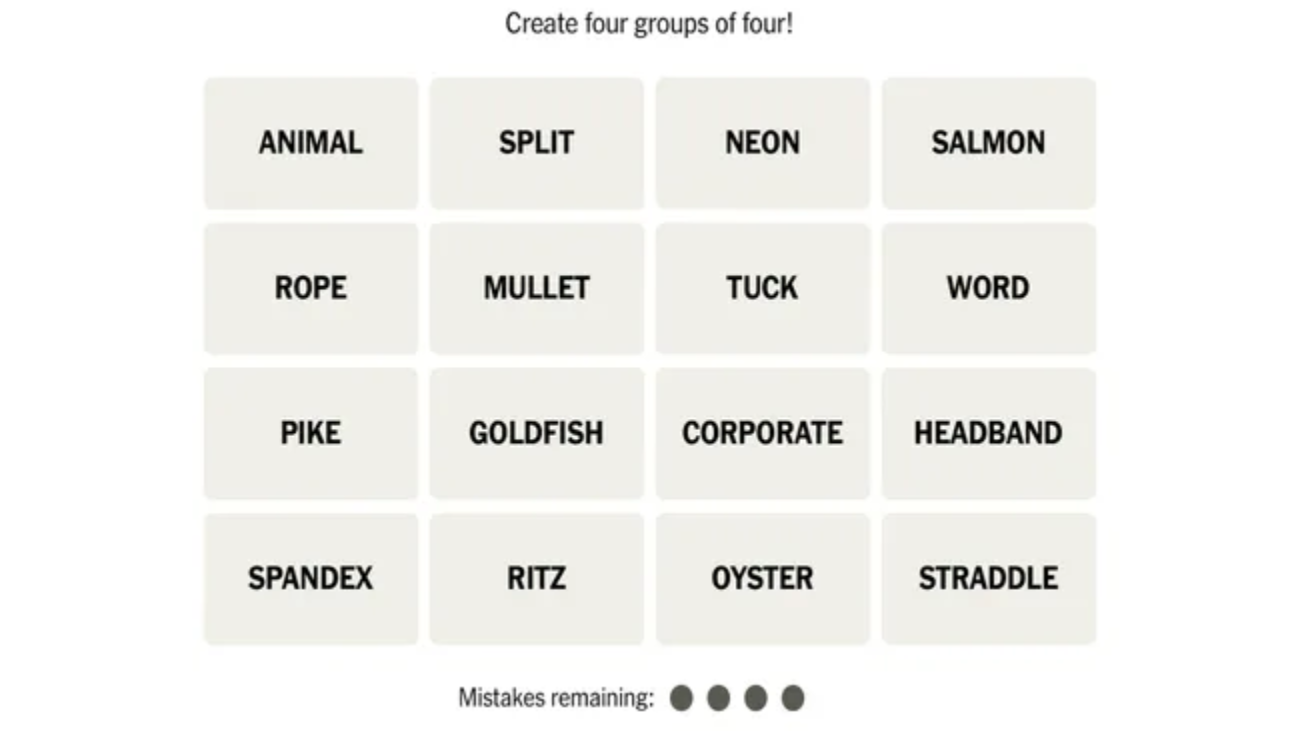
NYT Connections is a daily word puzzle where players are presented with 16 words arranged in a grid. The objective is to sort those words into four groups of four, with each group sharing a hidden connection or common theme. These connections can range from straightforward categories like colors or animals to more challenging patterns involving wordplay, phrases, or multiple meanings.

Every puzzle is unique, requiring players to think critically rather than relying solely on vocabulary.

How the Game Works

Each puzzle follows the same basic format:

  1. A grid displays 16 different words.
  2. Your task is to identify four words that belong together.
  3. Select the four words and submit your guess.
  4. If your selection is correct, the group is locked in.
  5. Continue until all four categories have been found.

Players are allowed up to four incorrect guesses before the puzzle ends, making careful observation more important than quick guessing.

Understanding the Difficulty Colors

Once a category is solved, it is revealed with a color indicating its difficulty.

🟡 Yellow

The easiest category, usually involving obvious themes or common groupings.

🟢 Green

Slightly more challenging, requiring a bit more thought.

🔵 Blue

Often involves more specific knowledge or less obvious relationships.

🟣 Purple

The hardest category, frequently based on wordplay, hidden meanings, prefixes, suffixes, or common phrases.

Tips to Solve Connections More Consistently

1. Read Every Word First

Avoid selecting words immediately. Spend a few moments scanning the entire board before making your first guess.

2. Find the Most Obvious Group

Look for categories that stand out clearly, such as:

  • Fruits
  • Countries
  • Sports
  • Musical instruments
  • Months
  • Colors

Solving one group often makes the remaining words much easier to organize.

3. Watch Out for Trap Words

Many puzzles include words that appear to fit multiple categories. These “decoy” words are intentionally designed to mislead players.

For example, a word could belong to both a movie title and a color-related phrase, making careful analysis essential.

4. Think Beyond Dictionary Meanings

Not every category is based on literal definitions.

Sometimes the connection involves:

  • Famous sayings
  • Movie titles
  • Song names
  • Abbreviations
  • Prefixes
  • Suffixes
  • Homophones
  • Hidden words

Thinking creatively often reveals the correct grouping.

5. Save the Hardest Words for Last

If several words seem ambiguous, focus on solving the more obvious categories first. Eliminating confirmed groups reduces confusion and helps uncover the remaining connections.

Common Mistakes Beginners Make

Many new players struggle because they:

  • Guess too quickly.
  • Focus on only one possible meaning of a word.
  • Ignore words that fit multiple themes.
  • Waste guesses on uncertain groups.
  • Assume every category is based on literal definitions.

Developing patience and checking every possible relationship before submitting a guess can dramatically improve success rates.

Why Is NYT Connections So Popular?

The game appeals to players because it combines several mental skills:

  • Vocabulary
  • Pattern recognition
  • Logic
  • General knowledge
  • Lateral thinking

Unlike many daily puzzles, every game encourages players to discover hidden relationships rather than simply recalling facts. This makes each puzzle feel fresh and rewarding.

Strategies for Advanced Players

Once you’re comfortable with the basics, try these advanced techniques:

  • Rearrange the words mentally to identify new patterns.
  • Look for overlapping themes before making a selection.
  • Consider whether a word has multiple meanings.
  • Keep the hardest (purple) category until the end whenever possible.
  • If a guess is “one away,” identify which word is the weakest fit rather than rebuilding the entire group.

Benefits of Playing Word Puzzle Games

Regularly solving word puzzles can help improve:

  • Vocabulary
  • Memory
  • Logical reasoning
  • Concentration
  • Pattern recognition
  • Cognitive flexibility

Many players also enjoy the daily challenge as a relaxing mental exercise.

Final Thoughts

NYT Connections is more than just another word game. Its clever mix of logic, vocabulary, and creative thinking makes it both challenging and highly addictive. While beginners may find some puzzles difficult at first, learning the rules and applying a structured solving strategy can quickly improve performance.

Start by identifying the easiest groups, avoid rushing your guesses, and remember that some categories rely on clever wordplay rather than obvious definitions. With consistent practice, you’ll become faster at spotting hidden connections and solving the daily puzzle with confidence.

Frequently Asked Questions

Is NYT Connections free to play?

Yes. A daily puzzle is available online, allowing players to complete one new challenge each day.

How many mistakes are allowed?

Players can make up to four incorrect guesses before the puzzle ends.

What do the colors mean?

The colors represent difficulty levels:

  • Yellow – Easiest
  • Green – Moderate
  • Blue – Challenging
  • Purple – Most difficult, often involving wordplay.

What is the best strategy for beginners?

Read all 16 words first, identify the most obvious category, avoid guessing too quickly, and leave ambiguous words until later.

Does every puzzle have the same structure?

Yes. Each daily puzzle contains 16 words that must be grouped into four sets of four connected words, but the themes and categories change every day.

Lq2EV2auGXUVrikukuD8GJ-650-80.png

Apple Mac Mini M4 Gets a Retro Macintosh Dock with LCD Screen — Here’s Why Everyone Wants One

Apple enthusiasts have always appreciated products that combine nostalgia with innovation, and a newly released retro-inspired docking station for the Apple Mac Mini M4 is doing exactly that.

Designed to resemble the iconic Macintosh computers from the 1980s, this unique accessory transforms Apple’s compact desktop into a miniature vintage Mac while adding practical upgrades like a built-in LCD display, additional ports, and expandable SSD storage. The dock has quickly gained attention across the tech community thanks to its blend of classic aesthetics and modern productivity features.

A Classic Macintosh Design Reimagined

At first glance, the dock looks like a tiny original Macintosh computer complete with a miniature display. The Apple Mac Mini M4 slides neatly into the dock, creating the appearance of a compact all-in-one desktop without requiring any modifications to the computer itself.

Rather than being just a decorative accessory, the retro enclosure is designed to serve as a fully functional desktop hub, making it attractive for creators, developers, and Apple enthusiasts alike.

Built-In 5-Inch LCD Display

One of the standout features is the integrated 5-inch HD LCD display with a 1280×720 resolution.

Although it’s not intended to replace a primary monitor, the display can be used for:

  • System monitoring
  • CPU and GPU statistics
  • Digital clock
  • Music playback controls
  • Calendar widgets
  • Notifications
  • Weather information
  • Video playback
  • Digital photo frame

For professionals who prefer having live system information visible without occupying their main monitor, this small screen offers a practical solution.

More Than Just a Retro Accessory

The dock functions as a complete USB-C docking station, significantly expanding the connectivity of the Mac Mini.

Depending on the model, users can expect:

  • Multiple USB-A ports
  • USB-C expansion ports
  • SD Card reader
  • microSD Card slot
  • 3.5mm headphone jack
  • HDMI or DisplayPort output
  • M.2 NVMe SSD slot
  • USB-C host connection

These additions help eliminate cable clutter while making frequently used ports much easier to access.

Expand Storage Without Paying Apple’s Premium

Storage upgrades for Apple devices have long been expensive.

This retro dock addresses that issue by including an M.2 NVMe SSD enclosure capable of supporting drives up to 8TB, allowing users to add high-speed external storage without opening the Mac Mini.

This makes the accessory particularly attractive for:

  • Video editors
  • Photographers
  • Developers
  • AI enthusiasts
  • Content creators

who frequently work with large files.

Two Versions Available

The manufacturer offers two configurations.

Standard Version

  • USB 3.2 (10Gbps)
  • HDMI output
  • Multiple USB ports
  • SD & microSD support
  • Integrated SSD enclosure

Premium Thunderbolt 5 Version

  • Thunderbolt 5 connectivity
  • Up to 80Gbps bandwidth
  • DisplayPort output
  • Faster SSD performance
  • Additional USB-C connectivity

The premium model is aimed at professionals handling demanding workflows such as 8K video editing or large AI datasets.

Why It’s Becoming Popular

Retro-inspired technology has seen a resurgence in recent years, and this dock taps into that trend by combining nostalgic industrial design with practical functionality.

Instead of simply recreating the appearance of classic Apple hardware, it offers genuine productivity improvements, including:

  • Cleaner desk setup
  • More connectivity
  • Expandable storage
  • Secondary display
  • Space-saving design

For Mac Mini owners, it provides an easy way to enhance their workstation without modifying the computer itself.

Compatibility

While the enclosure is specifically designed to fit the Apple Mac Mini M4, the dock’s USB-C functionality also allows it to work with other compatible devices that support DisplayPort over USB-C, including:

  • MacBook models
  • Windows PCs
  • Android devices
  • Raspberry Pi systems

However, only the Mac Mini M4 benefits from the integrated slide-in retro design.

Who Should Consider Buying It?

This accessory is best suited for users who:

  • Love retro Apple aesthetics
  • Need additional USB ports
  • Want expandable SSD storage
  • Prefer cleaner desk organization
  • Use the Mac Mini for creative work
  • Need a secondary information display

It may be less appealing to users who simply require basic USB expansion, as traditional USB hubs are generally more affordable.

Final Thoughts

The retro Macintosh-inspired docking station proves that desktop accessories can be both functional and visually distinctive. By combining a nostalgic design with a practical feature set—including a built-in LCD display, storage expansion, and extensive connectivity—it offers Mac Mini M4 users a compelling upgrade that stands out from conventional docking stations.

As demand for compact desktop setups continues to grow, accessories like this demonstrate how thoughtful industrial design can enhance both productivity and workspace aesthetics. For Apple fans who appreciate a touch of nostalgia, this retro dock delivers a unique way to modernize their setup while paying homage to one of computing’s most iconic designs.

FAQs

What is the retro Macintosh dock for the Mac Mini M4?

It is a third-party docking station that gives the Apple Mac Mini M4 the appearance of a classic Macintosh while adding extra ports, a built-in LCD display, and expandable SSD storage.

Does the LCD screen work as a second monitor?

Yes. The integrated 5-inch HD display can function as a secondary screen for widgets, system monitoring, notifications, and other lightweight tasks.

Can I upgrade the storage?

Yes. The dock includes an M.2 NVMe SSD slot supporting up to 8TB of external storage, depending on the SSD installed.

Is it compatible with older Mac Mini models?

The retro enclosure is specifically designed for the Mac Mini M4. While the docking functionality can work with other USB-C devices, the slide-in design is intended for the M4 model.

Is it worth buying?

If you value a retro aesthetic, need additional ports, want affordable storage expansion, and like having a compact secondary display, it offers a unique blend of style and functionality.